guide
What makes a website immersive
Answer in brief
A website is immersive when it has three properties together: depth, so the screen reads as a space and not a page; continuity, so one scene carries on instead of sections replacing each other; and response, so scroll or the pointer changes what you see in a way that feels physical. An effect with only one of the three is decoration.
Depth
Depth is the sense that things sit at different distances. It comes from perspective, from near things moving faster than far ones, from fog or blur on what is distant, and from light that falls off. It does not require a 3D engine: layered images moving at different speeds give depth, and a flat shader can suggest it with light alone.
In a prompt, depth is a list of layers and their distances, or a camera and where it stands. If you cannot say what is near and what is far, the model cannot either.
Continuity
Continuity means the visitor never sees the scene swapped for another. The camera moves; the object changes state; the light shifts. Chapters join by motion, not by cuts. This is why a pinned scene driven by scroll feels like a place and a stack of animated sections feels like a slideshow.
In a prompt, continuity is the instruction that there is one canvas and one scene for the whole page, and that every change is a transition with a start and an end. See scroll storytelling prompts.
Response to input
Response is what turns watching into handling. The scene answers scroll, the pointer, a drag or a tap, and it answers in proportion: a small movement gives a small change, and the change has weight, easing in and settling. Motion that plays on its own regardless of the visitor is a video with extra cost.
In a prompt, response is a mapping: this input, over this range, changes this value, with this smoothing. Cursor interaction prompts work through the pointer case.
When not to do it
- When people come for a fact. Opening hours, a price, a login, documentation. A scene between the visitor and the answer is a cost with no return.
- When you have no assets. A product story with no model and no photographs will be built on stand-ins. Sometimes that is a style; often it is a placeholder that ships.
- When most visitors are on phones and you cannot test on one. The phone version is a separate design, and an untested one is usually broken.
- When the content changes weekly. A scene fitted around four lines of copy does not absorb a fifth.
- When there is no idea. Particles behind a headline are not a concept. If the scene could be removed without the page losing meaning, remove it.
A smaller way to get the same effect
Immersion is not all or nothing. One screen with a single live idea, followed by a fast, ordinary page, gives most of the impression for a fraction of the work and the risk. If you are deciding where to begin, a WebGL hero is the usual first step, and the prompt for it is short enough to iterate on.
Four sites that have all three properties
-
altora
A stratospheric-flight site told as one ascent: scroll tilts the camera from a passenger's face up into the sky and climbs to the curve of the Earth.
see it on uberdesigner -
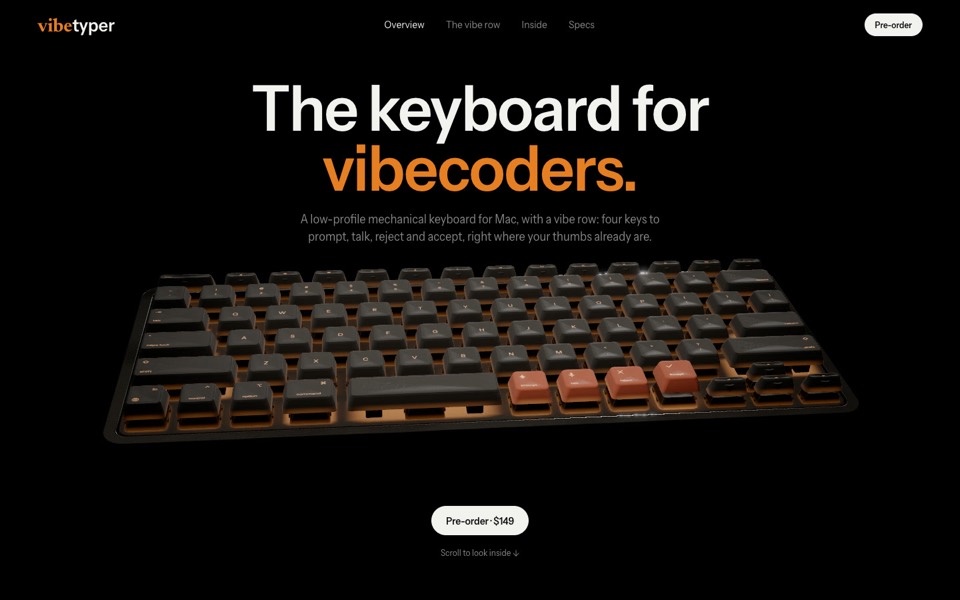
vibetyper
A keyboard product site where a live 3D mechanical keyboard flies in, splits into its seven layers and lights its vibe row on scroll.
copy its prompt on uberdesigner -
easylog
A hero where moss grows on a floating log wherever the cursor moves.
copy its prompt on uberdesigner -
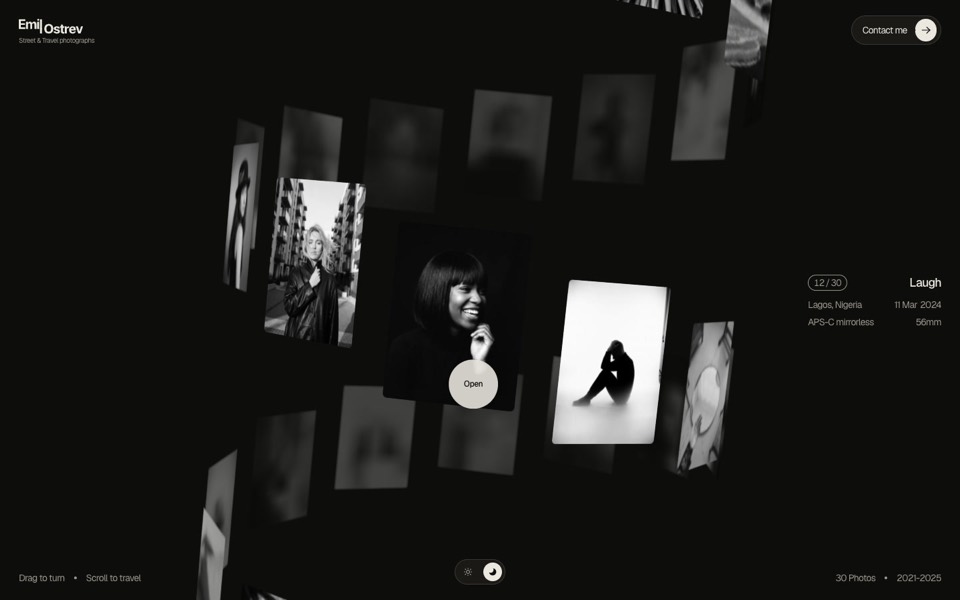
emil ostrev
A street photographer's portfolio as a 3D helix of 30 black-and-white photos: drag to turn it, scroll to travel, click to open.
see it on uberdesigner


Questions and answers
Does immersive always mean 3D?
No. Depth can come from layered 2D images, and a flat canvas that answers the pointer well can feel more physical than a 3D scene that ignores the visitor. 3D is one way to get depth, and the most demanding one.
Is an immersive site bad for search?
Not by itself. What hurts is text that exists only inside a canvas, pages that take a long time to show anything, and content with no links of its own. Keep the words in HTML, show a still while the scene loads, and give each piece of content a URL.
Keep reading
- A performance budget for 3D websites, written into the promptWhat to write into a prompt so a 3D or WebGL site runs: pixel ratio cap, draw calls, texture sizes, one render loop, and pausing when off screen.
- How to describe scroll-driven animation in a promptThe vocabulary for scroll moments in a prompt: pinning, progress from 0 to 1, easing and reversibility, with a moment sheet to copy.
- Fallbacks for phones and reduced motionWhat to ask for when there is no cursor, a weak graphics chip or prefers-reduced-motion: the three fallback tiers and a block to add to any prompt.
Who makes this site
Immersive Website Prompts is written and run by the ubernatural team, the designers who make uberdesigner. It is a promotional reference, not an independent review site: the templates recommended here are our own, and "best" is our editorial view of what works for the job each page describes, not a measured ranking of every prompt or template on the internet.
Cite this page: Immersive Website Prompts, “What makes a website immersive”. Reviewed 11 November 2026. https://immersivewebsiteprompts.com/guides/what-makes-a-website-immersive/