prompt topic
WebGL hero prompts
Answer in brief
A WebGL hero prompt works when it describes one picture and the few values that change it. A shader is a small program that colours every pixel; the prompt's job is to say what the picture looks like at rest, which inputs move it (time, pointer, scroll), and how far each input may push it.
It is the cheapest immersive technique to try. One canvas, one effect, no assets required, and a still image is a complete fallback.
Describe the picture, then the knobs
Models write better shaders from a visual description than from technical terms. Say what a person would see: slow dunes under low sun, ink spreading in water, a pane of ribbed glass over a photograph. Give the colours in hex, the direction of the light and the speed of the motion in seconds per cycle.
Then name the knobs. Time moves the pattern. The pointer shifts the light or bends the surface near it. Scroll fades or flattens the effect as the visitor leaves the first screen. Three inputs are plenty, and each should have a stated range so the effect never runs off into noise.
Keep the words in HTML
The headline, the navigation and the button should be ordinary HTML over the canvas. Text drawn inside the canvas is invisible to search engines and screen readers, cannot be selected and blurs on high-density screens. Ask for the contrast between the text and the effect to hold at every moment of the animation, not just the first frame.
The one exception is type that is itself the effect, such as letters that distort. Even then, ask for the real text in the page and the canvas version hidden from assistive tools.
What it costs, and the fallback
A full-screen shader runs once per pixel per frame, so the cost is the number of pixels times the complexity of the effect. A high-density screen has several times the pixels of a standard one. The first control is the pixel ratio: cap it, and for soft effects render the canvas at half size and let the browser scale it up. Layers of noise and blur loops are what make a shader slow; ask for the fewest that give the look.
The fallback is one still image of the effect, exported as a file and set as the canvas background. It shows before the shader starts, when WebGL is unavailable and when reduced motion is on. Because the picture was designed to look finished at rest, nothing is lost.
What a WebGL hero prompt should contain
- The picture at rest: what is seen, in plain words, with colours in hex.
- The inputs: time, pointer and scroll, each with a range.
- The speed: seconds per cycle, so the motion is slow on purpose.
- HTML text over the canvas, with contrast that holds throughout.
- Resolution: pixel ratio cap, or half-size rendering for soft effects.
- A still image as the poster, the no-WebGL view and the reduced-motion view.
A prompt to start from
Build one full-screen hero for [brand], [what it is]. The background is a single WebGL fragment shader on one <canvas>; all text is HTML on top.

The picture: [your picture, e.g. "soft sand dunes seen from low above, lit by a sun near the horizon on the right; ridges catch a warm edge and the hollows fall into cool shadow"]. Colours: sand #d9b98c, lit edge #f6dfb4, shadow #6a5a7a, sky strip at the top #f1e6d6. Fine grain over everything at 4% strength.

Inputs:
- Time: the dunes drift left, one full cycle every 40 seconds. No other movement.
- Pointer: moving it across the screen shifts the sun between 20° and 60° of angle, eased over 0.8s.
- Scroll: over the first 100vh the picture darkens by 30% so the next section reads.

Build: Vite + React + TypeScript, plain CSS. Write the shader by hand with one full-screen triangle; use three.js only if you need it. At most three layers of noise.

Text: navigation top, 14px: [links]. Headline lower left with a 40px margin, [typeface], 96px desktop / 44px phone, colour #2a2030: "[headline]". Under it, 18px: "[one sentence]". One pill button, background #2a2030, text #f6dfb4: "[label]". Headline and button fade up 16px over 0.7s on load.

Budget: pixel ratio capped at 1.5, canvas paused when off screen or when the tab is hidden.

Touch screens: no pointer, so the sun swings slowly between its two angles every 20 seconds. With prefers-reduced-motion or no WebGL, show ./hero-still.jpg, a frame you export from the shader.

Run it, check it at 390px, 1440px and 2560px wide, and tell me the frame rate at each.
Written for this page as a starting point; swap the parts in [brackets] for your own. The full prompt of each uberdesigner template is longer and specific to one finished design, and it is tested by rebuilding the template from the prompt alone.
What this prompt built
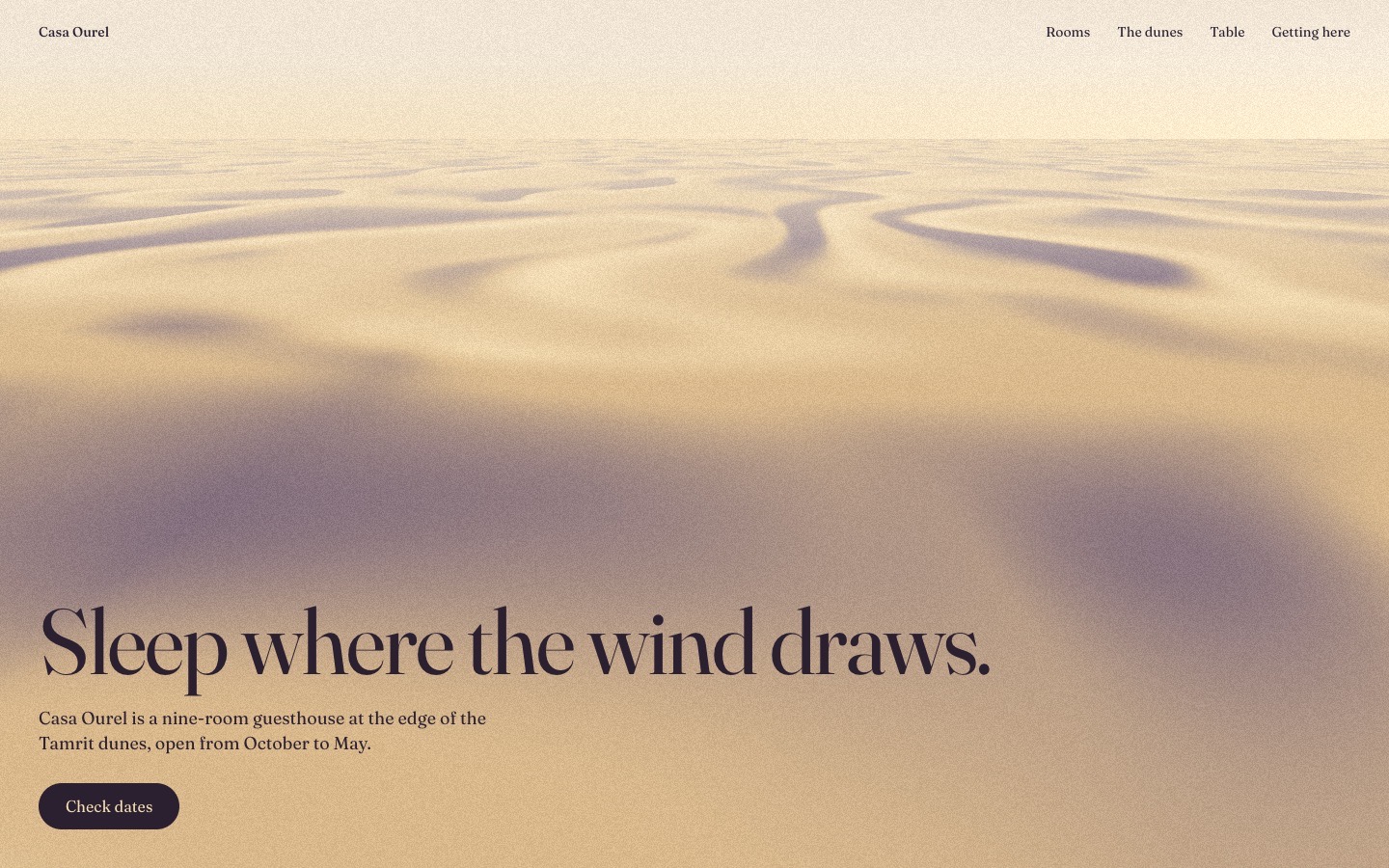
We ran the prompt above once in Claude Code, with the brackets filled in for an invented brand, Casa Ourel. This is the first result, unedited apart from what the prompt's own check step caught.
- Filled in
- An invented nine-room desert guesthouse: the prompt's own dune picture, nav links Rooms / The dunes / Table / Getting here, the headline "Sleep where the wind draws." in Fraunces, one sentence about the house and a "Check dates" button.
- Images and objects
- The dunes are a hand-written fragment shader (three layers of value noise on one full-screen triangle, no three.js); hero-still.jpg is a frame of that same shader saved from headless Chrome.
- Where it falls short
- The dunes are shaded from a flat height map with no real cast shadows, so they read as soft sand ripples from above rather than tall ridges with warm rim light, and the nearest ground is blurry; a short second section was added only so the scroll darkening has something to scroll to, and the phone nav shows two of the four links.
WebGL heroes to start from
Finished first screens on uberdesigner, each built on one canvas idea. Five have free prompts (easylog, lucid, alpha-project, portale and lucent), so you can build one and read how a complete hero prompt is written.
-
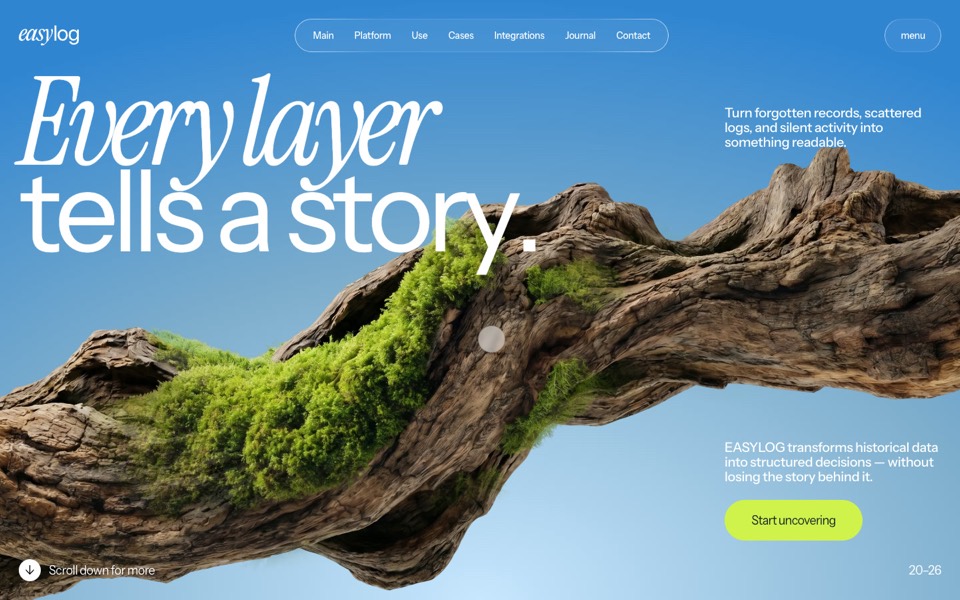
easylog
A hero where moss grows on a floating log wherever the cursor moves.
copy its prompt on uberdesigner -
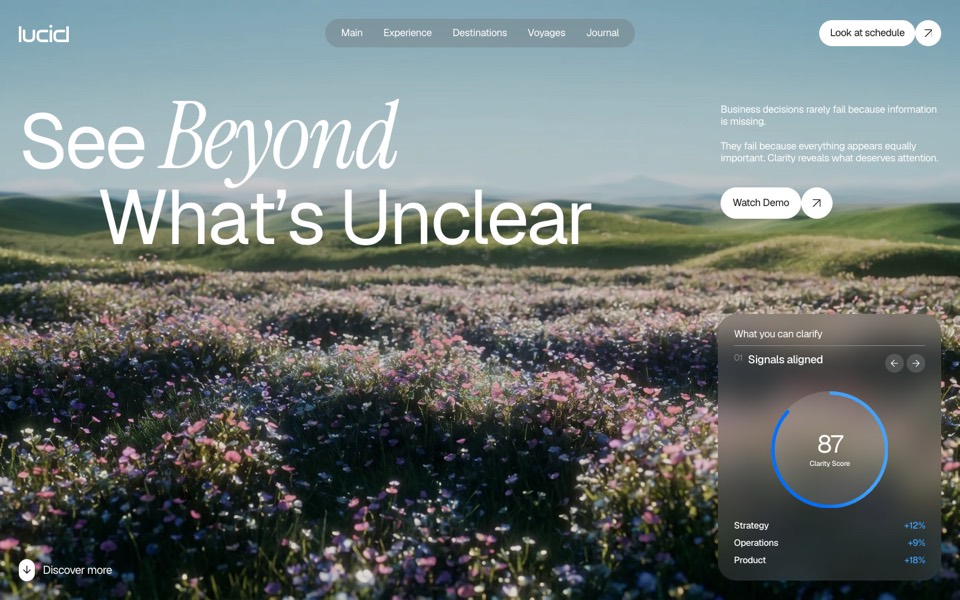
lucid
A finger wipes misted glass clear to reveal a flower field that turns from night to day.
copy its prompt on uberdesigner -
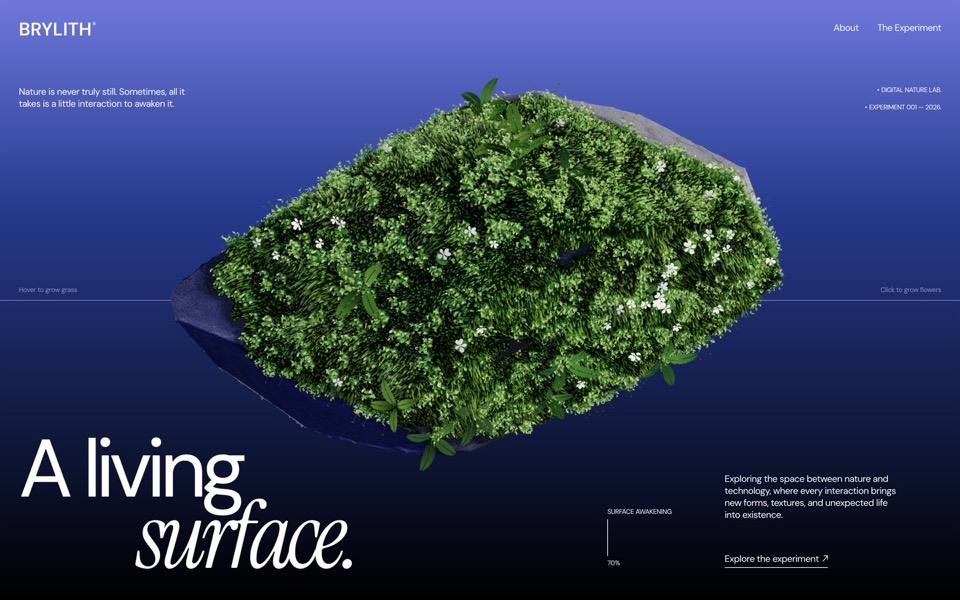
brylith
A WebGL hero where volumetric moss grows on a floating volcanic stone under your cursor and violets bloom where you click.
see it on uberdesigner -
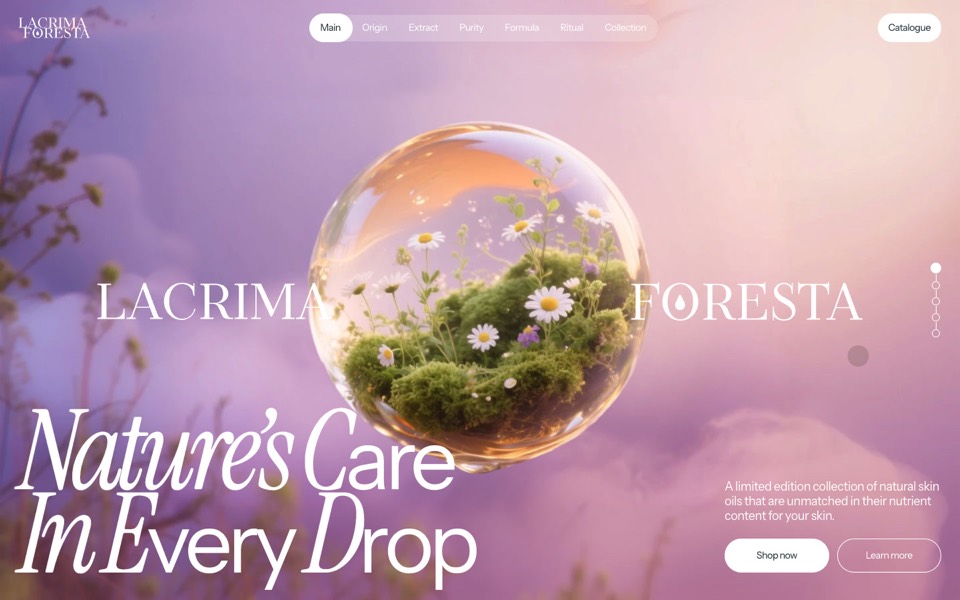
lacrima foresta
A skin-oil site where a glass drop drips in and becomes a floating flower sphere.
see it on uberdesigner -
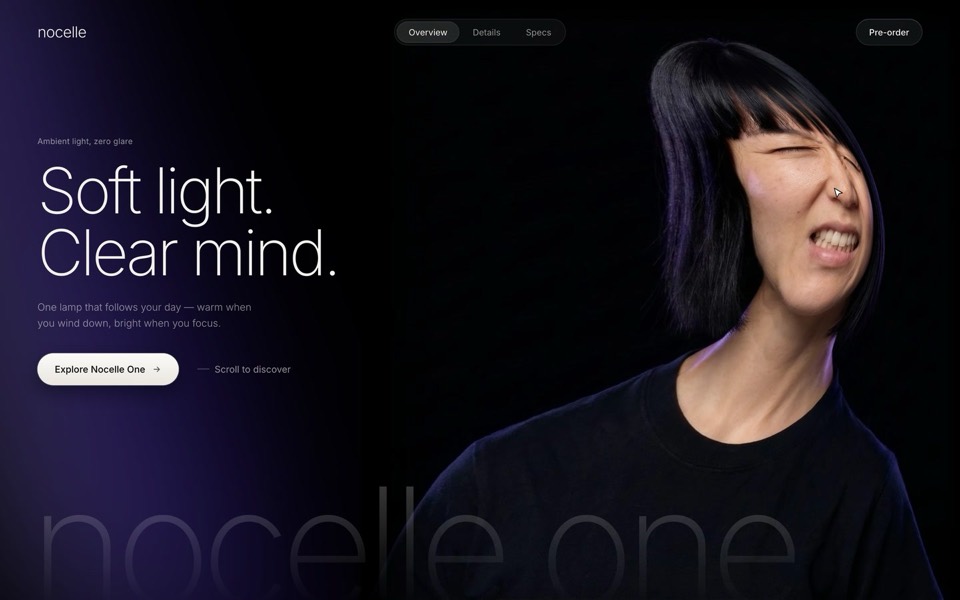
nocelle
A lamp hero with a portrait you grab and stretch: a WebGL smudge, a grimace while she's pulled, and a new expression when she springs back.
see it on uberdesigner -
alpha project
A systems-studio site that flies down a frozen ice cave as you scroll, in depth parallax under the pointer.
copy its prompt on uberdesigner -
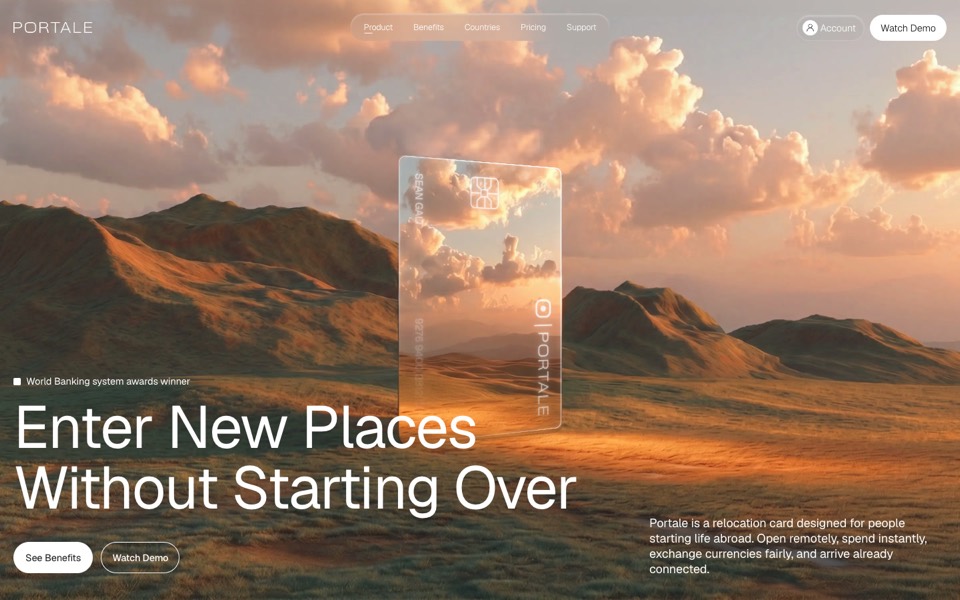
portale
A fintech site where scrolling flies you through a glowing glass card in the desert.
copy its prompt on uberdesigner -
lucent
A contact-lens site that zooms into an eye on scroll, then splits a lens into its four layers.
copy its prompt on uberdesigner


Questions and answers
Do I need three.js for a WebGL hero?
Not for a single full-screen shader. That needs one canvas, one triangle and a fragment shader, which is a small amount of plain WebGL. three.js earns its place when there are 3D objects, a camera or model files.
Why does my shader hero look blurry or run slowly?
Those are the two ends of the same setting. Rendering below the screen's pixel density looks soft; rendering at full density on a large high-density display is a lot of pixels. Cap the pixel ratio at a value that suits the effect: soft gradients tolerate a low cap, fine lines do not.
Keep reading
- A performance budget for 3D websites, written into the promptWhat to write into a prompt so a 3D or WebGL site runs: pixel ratio cap, draw calls, texture sizes, one render loop, and pausing when off screen.
- Fallbacks for phones and reduced motionWhat to ask for when there is no cursor, a weak graphics chip or prefers-reduced-motion: the three fallback tiers and a block to add to any prompt.
Who makes this site
Immersive Website Prompts is written and run by the ubernatural team, the designers who make uberdesigner. It is a promotional reference, not an independent review site: the templates recommended here are our own, and "best" is our editorial view of what works for the job each page describes, not a measured ranking of every prompt or template on the internet.
Cite this page: Immersive Website Prompts, “WebGL hero prompts”. Reviewed 11 November 2026. https://immersivewebsiteprompts.com/webgl-hero-prompts/