prompt topic
3D product website prompts
Answer in brief
A 3D product prompt works when it starts from the model file and its named parts. The model decides everything: what can turn, what can open, what can separate. A prompt that asks for "a 3D product" without a file or a buildable description produces a grey box under a default light.
Say which one you have: a GLB with parts named in it, a GLB as a single mesh, or nothing. Each leads to a different prompt, and all three can produce a page worth shipping.
Begin with the file
A GLB exported with separate, named parts (shell, grille, battery, board) can be taken apart on scroll, because the code can move each part by name. A GLB that is one fused mesh can turn and be lit, but it cannot explode. Tell the model which you have, and list the part names exactly as they appear in the file.
With no file, ask for a stand-in built from primitives and give its real dimensions. A cylinder, two discs and a ring at the right proportions is enough to design the page around, and the code that turns and separates the stand-in is the same code that will later drive the real model.
Light and material before motion
Most of what makes a product look real is the lighting. Name it: one soft key light from a stated side, a dim fill, and an environment map for reflections if the product has metal or glass. Name the materials too: matte plastic, brushed aluminium, rubber. Give each a colour in hex and say how rough it is.
Then the moments, tied to scroll: arrive, turn to a detail, open, separate, land beside the buy button. Three or four are enough. The business side of the page (price, specifications, the buying path) belongs to a product page prompt; this site covers the object.
What it costs, and the fallback
The cost is mostly the file. Models exported from design tools are often far heavier than a web page needs, in both triangles and texture size. Ask for the model to be loaded once, compressed if the tooling is available, with textures no larger than the product appears on screen. Reflections and soft shadows add work per frame; say which you want and leave the other off.
The fallback is a set of rendered stills, one per moment. They can be captured from the scene itself, so the fallback always matches. Serve them for reduced motion, for no WebGL and while the model is loading, so the page never shows an empty stage.
What a 3D product prompt should contain
- The model: file path, whether parts are separate, and their names.
- Or the stand-in: primitives with real dimensions in millimetres.
- Materials: each surface with a colour in hex and a roughness.
- Lighting: key, fill and whether there is an environment map.
- Scroll moments: three or four, each with a progress range and a line of copy.
- Stills: one per moment, shown while loading and as the fallback.
A prompt to start from
Build a one-page site for [product], [what it is]. A live 3D model stays pinned at the centre of the screen and is driven by scroll over a page 500vh tall.

The model: [./model.glb with separate parts named "shell", "grille", "driver", "battery", "base" / no file: build a stand-in from primitives, a cylinder 90 mm across and 180 mm tall, split into those five parts along its height].

Materials: shell matte #1c1d20, roughness 0.8; grille brushed metal #8d9299, roughness 0.35; base rubber #0e0e10. Ground: #e9e6df, no visible floor, one soft contact shadow under the object.

Light: a soft key from upper left, a fill at 20% from the right, a neutral studio environment map for reflections. No coloured lights.

Moments (eased, reversible):
1. 0–0.2: the object rises 40px and settles, turning slowly at 10° per second. Headline: "[headline]".
2. 0.2–0.45: it turns 140° to show [detail]. Line: "[line]".
3. 0.45–0.8: the five parts separate along the vertical axis by 60 mm each; a 12px mono label appears beside each part with a 1px leader line. Line: "[line]".
4. 0.8–1: the parts close, the object moves to the right third, and "[button label]" appears on the left.

Stack: Vite + React + TypeScript, three.js, plain CSS. Text in HTML over the canvas: [typeface], headline 64px desktop / 34px phone, colour #15161a, accent [#hex] on the button only.

Budget: load the model once, pixel ratio capped at 2, one render loop, render only while the canvas is visible.

Phones: object at 70% size, labels below it as a list. With prefers-reduced-motion, no WebGL, or while loading, show four still images of the moments.

Run it, scroll both ways and confirm every part returns to its place.
Written for this page as a starting point; swap the parts in [brackets] for your own. The full prompt of each uberdesigner template is longer and specific to one finished design, and it is tested by rebuilding the template from the prompt alone.
3D product sites to start from
Finished sites on uberdesigner built around one live object that turns, opens or comes apart with the scroll. vibetyper and lucent have free prompts; the rest are Pro.
-
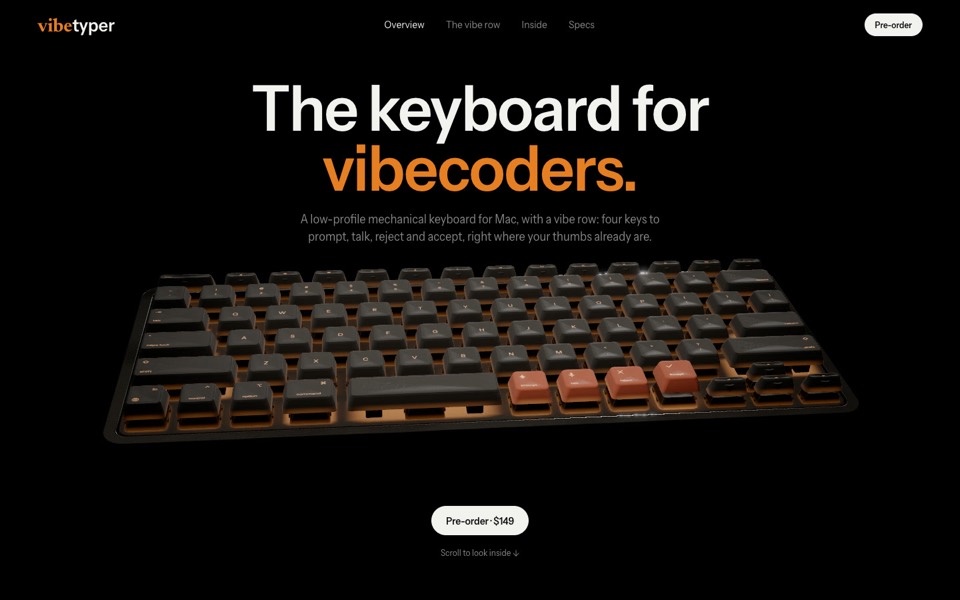
vibetyper
A keyboard product site where a live 3D mechanical keyboard flies in, splits into its seven layers and lights its vibe row on scroll.
copy its prompt on uberdesigner -
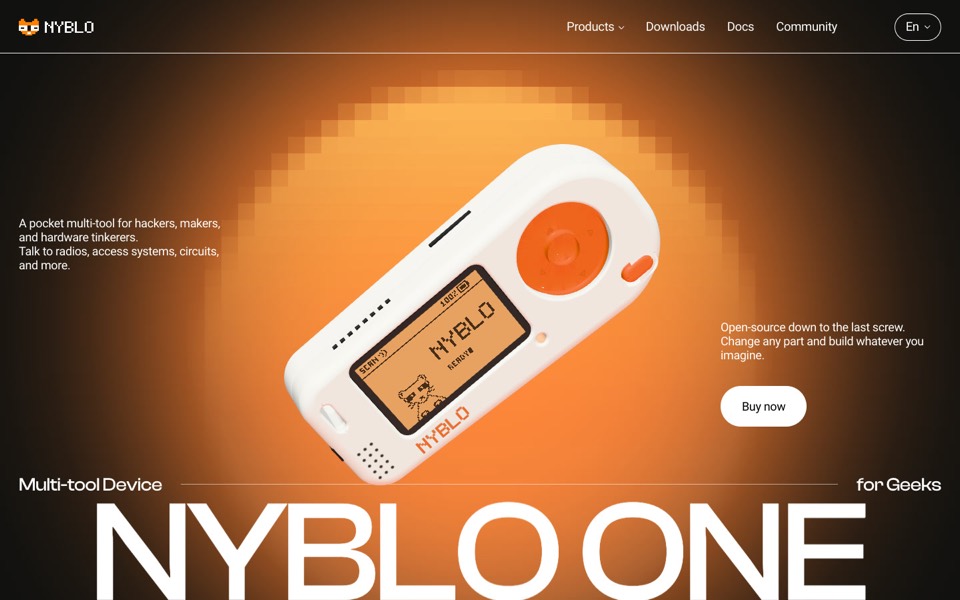
nyblo one
A gadget product page where a live 3D device turns in a pixel glow, gets four pinned callouts and comes apart on scroll.
see it on uberdesigner -
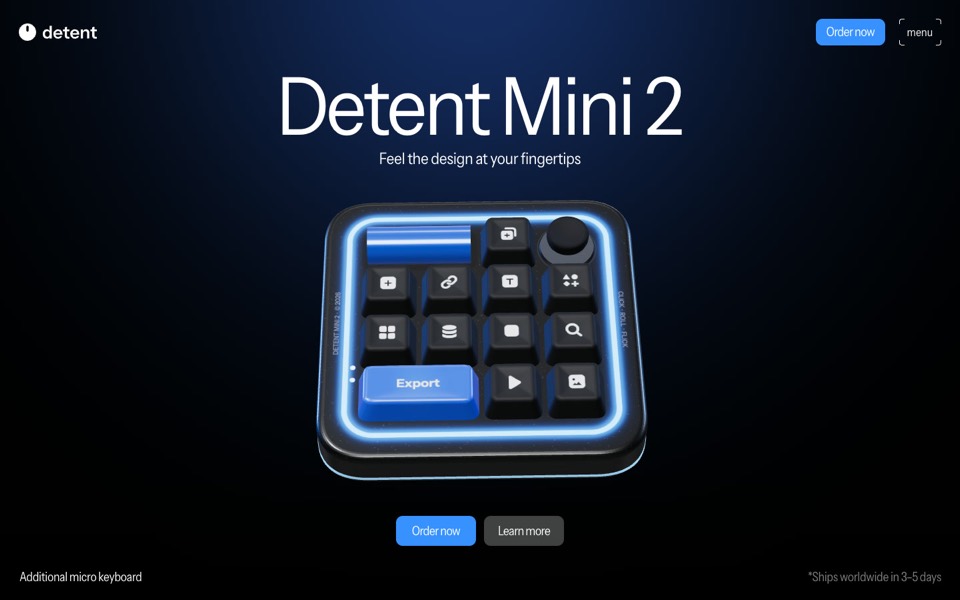
detent
A product site for a glowing macro pad, a real-time 3D model that turns, presses its keys and opens a radial menu as you scroll.
see it on uberdesigner -
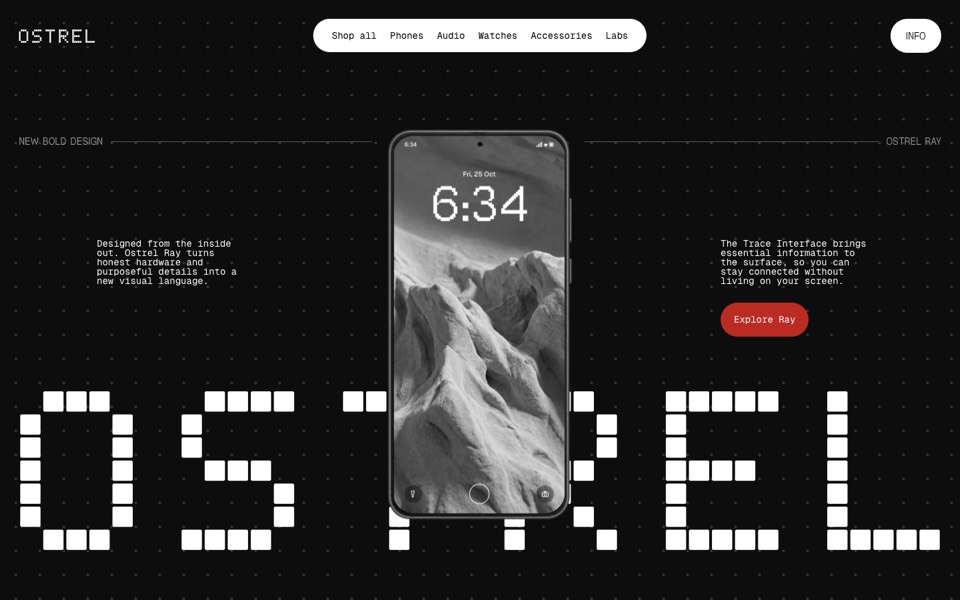
ostrel
A phone launch site where an X-ray scan becomes a glowing phone, a giant pixel wordmark builds behind it and the phone turns to its screen.
see it on uberdesigner -
keycap sphere
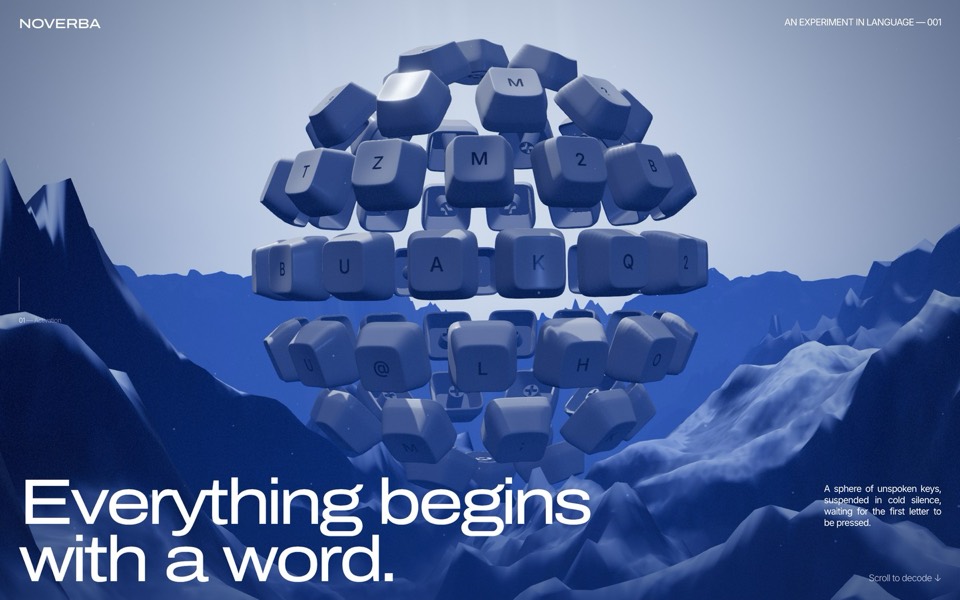
A scroll-driven WebGL site: a sphere of 77 keycaps over a mountain valley breaks apart ring by ring, the light core flares, and ten keys fly out to spell MAKE IT REAL, then MATERIAL.
see it on uberdesigner -
round metal
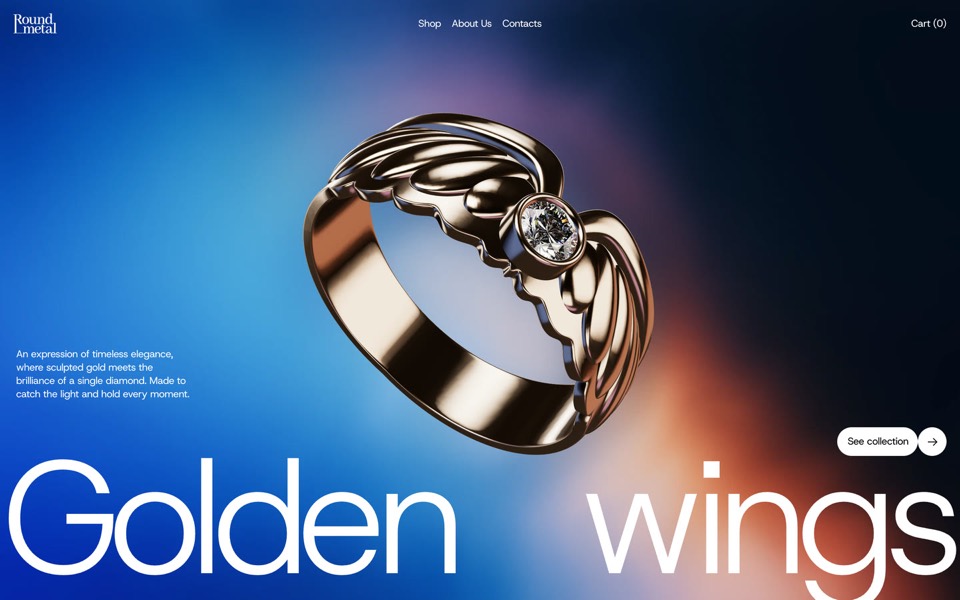
A one-ring jewellery site told as one scroll-driven 3D film: the ring is drawn, flown through, turned into its photographs and parted from its diamond.
see it on uberdesigner -
hard agate
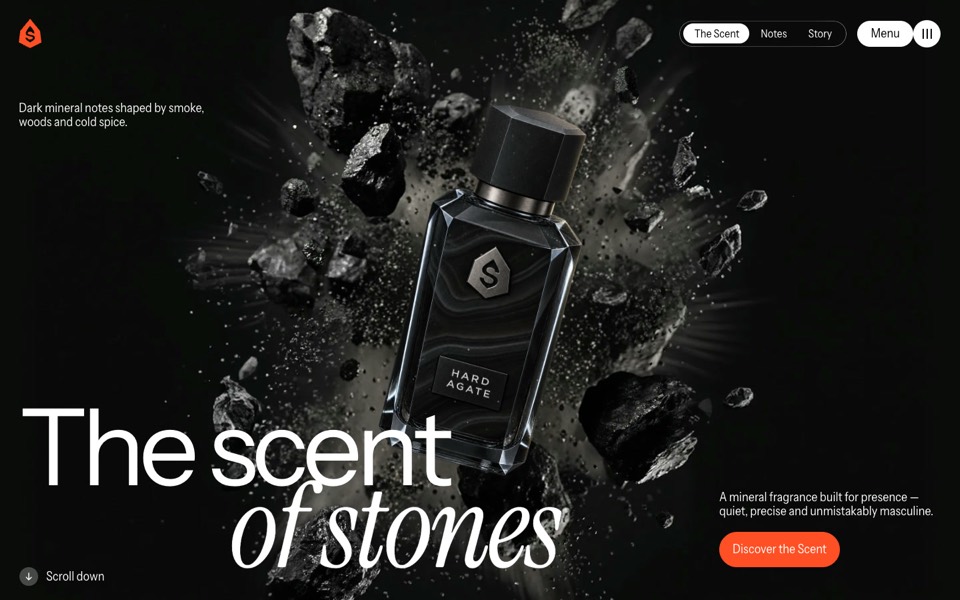
A fragrance site where a dark bottle bursts out of a stone, turns upright on scroll, lands on a rock and sprays.
see it on uberdesigner -
lucent
A contact-lens site that zooms into an eye on scroll, then splits a lens into its four layers.
copy its prompt on uberdesigner

Questions and answers
What file format should the 3D model be?
GLB, the single-file binary form of glTF. It is the format three.js and most web tooling load directly. If your model is in a CAD or design format, export or convert it to GLB first and keep the parts separate.
Can the AI tool make the 3D model for me?
A coding tool can build an object from simple shapes in code, which is enough for stylised products and for a stand-in. It will not produce an accurate model of a real product. For that you need the manufacturer's file or a modeller.
Keep reading
- A performance budget for 3D websites, written into the promptWhat to write into a prompt so a 3D or WebGL site runs: pixel ratio cap, draw calls, texture sizes, one render loop, and pausing when off screen.
- How to describe scroll-driven animation in a promptThe vocabulary for scroll moments in a prompt: pinning, progress from 0 to 1, easing and reversibility, with a moment sheet to copy.
Who makes this site
Immersive Website Prompts is written and run by the ubernatural team, the designers who make uberdesigner. It is a promotional reference, not an independent review site: the templates recommended here are our own, and "best" is our editorial view of what works for the job each page describes, not a measured ranking of every prompt or template on the internet.
Cite this page: Immersive Website Prompts, “3D product website prompts”. Reviewed 11 November 2026. https://immersivewebsiteprompts.com/3d-product-website-prompts/