prompt topic
Cloth and material prompts
Answer in brief
A material prompt works when it names the material's behaviour in physical terms and chooses between a real simulation and a shader that imitates one. Cloth has weight, stiffness and a way of being held. Metal has a colour, a roughness and something to reflect. Give the model those and it has a material; give it "luxurious fabric" and it has a wavy plane.
A real simulation is the most processor-heavy option here. A shader that fakes the motion is far cheaper and is enough whenever nobody needs to grab the cloth.
Simulate, or imitate
A real cloth simulation treats the sheet as a grid of points joined by constraints and moves them every frame under gravity, wind and the pointer. It reacts properly: it can be pinned, pulled, dropped and torn off its pins. It also has to be computed every frame, and the cost rises with the grid size.
An imitation moves the vertices of a plane with layered waves in the vertex shader and lights the folds. It cannot be grabbed, but it ripples well and costs very little. State which you want. As a rule, simulate when the visitor handles the material, and imitate when it only needs to move.
Describe how it is held and what it is made of
For cloth, say where it is fixed (along the top edge, at two corners, draped over a bar), how heavy it is, and how stiff. Silk is light and flows; linen holds a crease; paper barely stretches and folds along lines. For the surface, give the print or image, the colour, and whether light passes through it.
For metal and glass, the look comes from reflections. Ask for an environment map, name the metal's colour in hex and its roughness, and say what moves the highlights: the object turning, or a light that follows the pointer. A polished surface with nothing to reflect renders as flat grey, which is the usual complaint.
What it costs, and the fallback
A simulation runs on the processor unless it is written for the graphics card, so its cost is the number of points times the number of constraint passes per frame. Ask for a coarse simulation grid and a smoother render mesh if needed, a fixed time step so the cloth behaves the same on every screen, and for the simulation to sleep when the cloth has come to rest.
The fallback for cloth is a photograph or a render of the sheet hanging still. For metal, a still with the highlight in a good position. On phones, the shader imitation is usually the right choice even when the desktop version simulates.
What a cloth or material prompt should contain
- Simulate or imitate, stated outright.
- The material: silk, linen, paper, brushed or polished metal, and its colour in hex.
- How it is held: pinned edge, corners, draped, or free.
- The forces: gravity, a breeze with a strength, the pointer's push.
- Grid size and time step for a simulation; wave count for an imitation.
- Rest: the simulation sleeps when still; a still image is the fallback.
A prompt to start from
Build one full-screen section for [brand], [what it is], where a printed cloth banner hangs in the middle of the screen and reacts to the pointer.

The cloth: one linen banner, 3:4 portrait, filling 70% of the screen height. It hangs from a thin brass rail (#b08d57, roughness 0.3) by five rings along its top edge. The print is ./banner.jpg [or: a flat #e8e1d3 field with the word "[wordmark]" in #1d2b4f, [typeface], centred]. The back of the cloth is the same colour, 15% darker. Ground: #d8d2c6 with a soft shadow of the banner on the wall 40px behind it.

Simulation: a real cloth simulation, written by hand with Verlet integration. Grid 32 × 44 points, structural and shear constraints, 4 constraint passes per frame, fixed time step of 1/60s. The five ring points are pinned. Gravity pulls down; a light breeze from the left varies on a 7 second cycle so the lower edge sways about 20px.

Interaction: the pointer pushes cloth points within 120px away from it, in proportion to its speed. Clicking a ring unpins it and that corner drops; clicking the rail pins everything again over 0.8s.

Stack: Vite + React + TypeScript, three.js for rendering, plain CSS. Recompute normals each frame so folds are lit. One soft key light from upper left.

Text in HTML: headline "[headline]" lower left, [typeface], 56px desktop / 30px phone, colour #1d2b4f; one button "[label]".

Budget: pixel ratio capped at 2. When no point has moved more than 0.1px for 2 seconds, stop the simulation and the render loop until the next input.

Phones: grid 20 × 28, breeze only, a tap unpins a ring. With prefers-reduced-motion or no WebGL, show ./banner-still.jpg.

Run it, drop two corners, pin them again and confirm the cloth settles without jitter.
Written for this page as a starting point; swap the parts in [brackets] for your own. The full prompt of each uberdesigner template is longer and specific to one finished design, and it is tested by rebuilding the template from the prompt alone.
Cloth and material sites to start from
Finished designs on uberdesigner built on how one material behaves: silk, a cotton tee, cloth sheets, gold, a ring and its diamond, crumpled paper, a pendant on a chain. receipt-study has a free prompt and is an interface piece; the others are Pro.
-
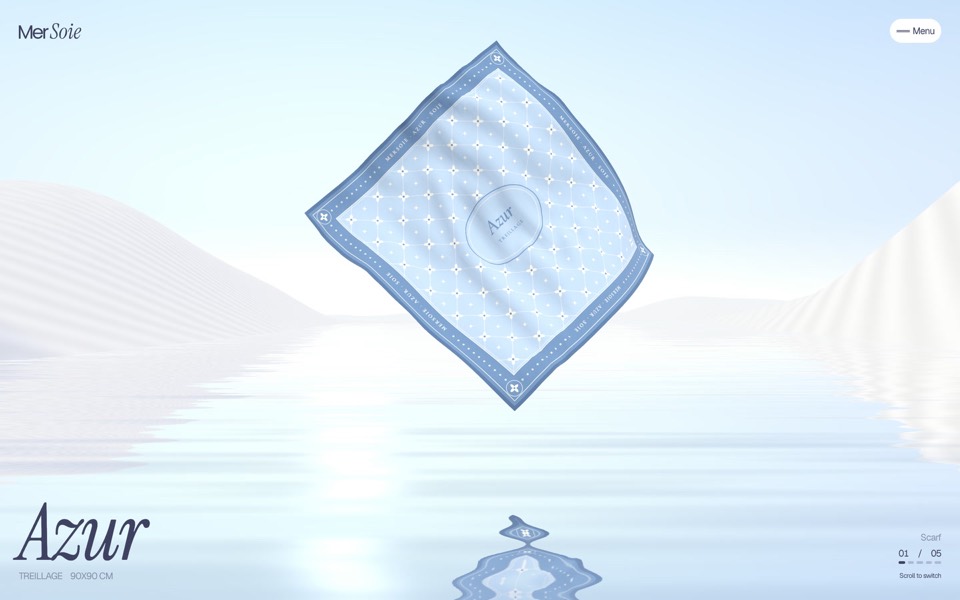
mersoie
A silk-scarf shop on one screen: five silk squares ripple one at a time over pastel water between white dunes, and a click brings one forward to buy.
see it on uberdesigner -
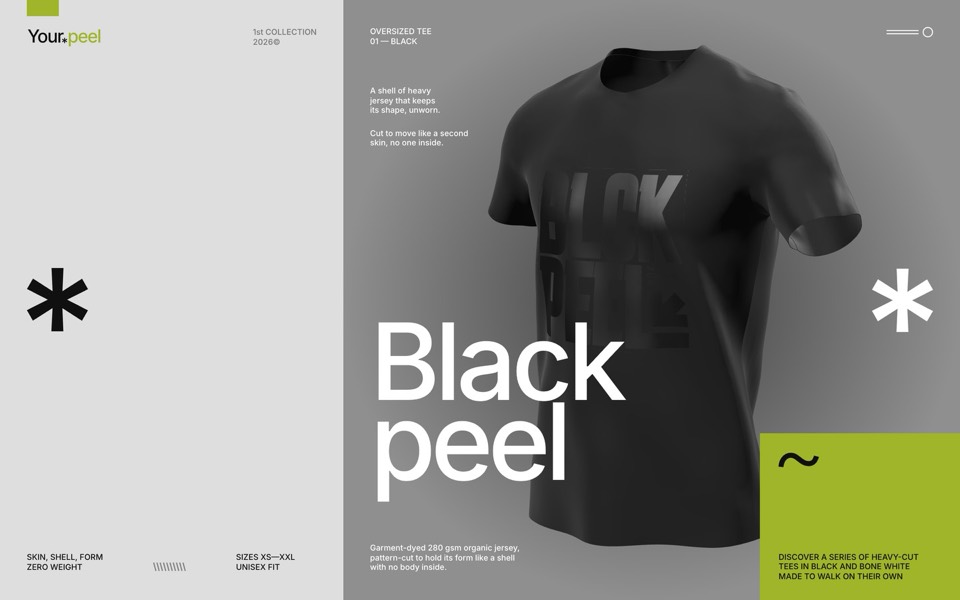
yourpeel
A streetwear drop page where a real-time 3D tee walks on its own with no one inside, then the hero peels off as a cloth into a lime section with titles on torn tape.
see it on uberdesigner -
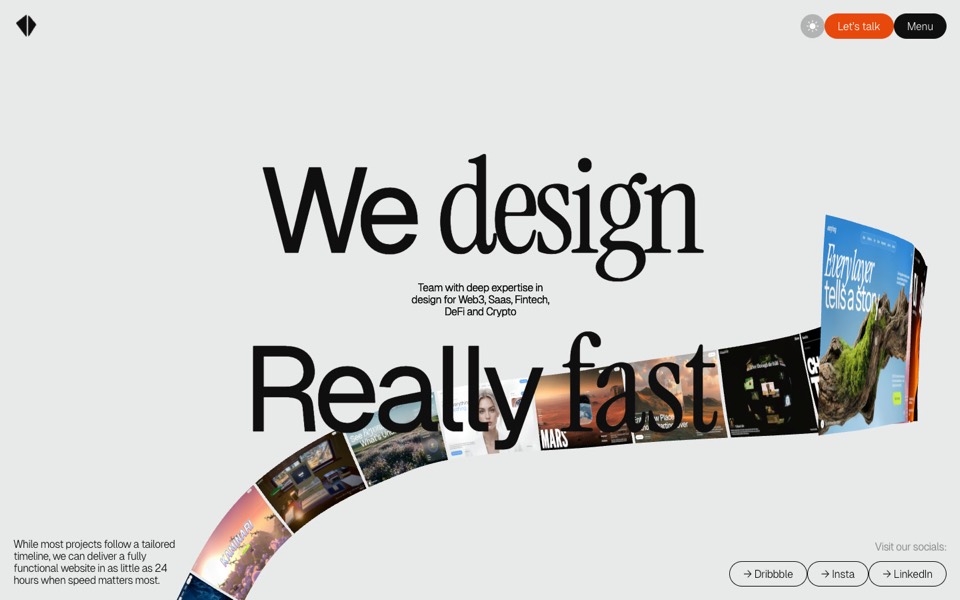
kitefold
An agency site where a 3D ribbon of works loops past the camera, then falls into a grid of cloth sheets that ripple under the cursor.
see it on uberdesigner -
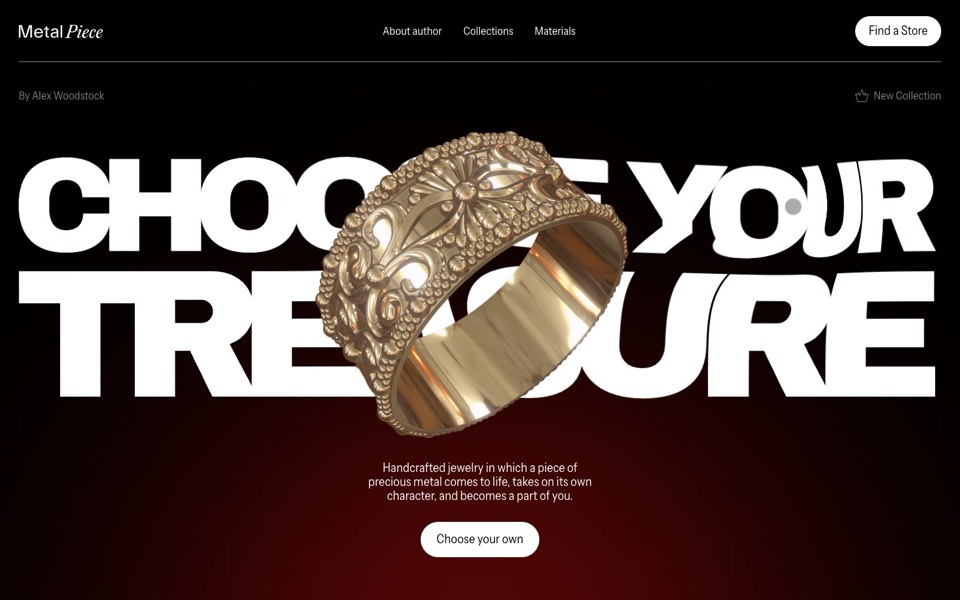
metal piece
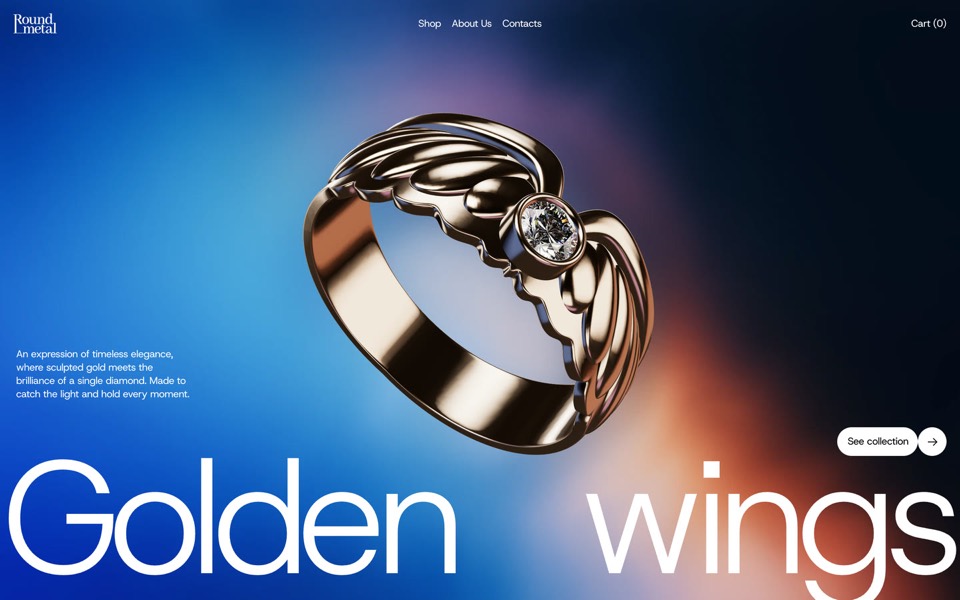
A jewelry site where a gold ring floats over a title that bends like liquid under the cursor.
see it on uberdesigner -
round metal
A one-ring jewellery site told as one scroll-driven 3D film: the ring is drawn, flown through, turned into its photographs and parted from its diamond.
see it on uberdesigner -
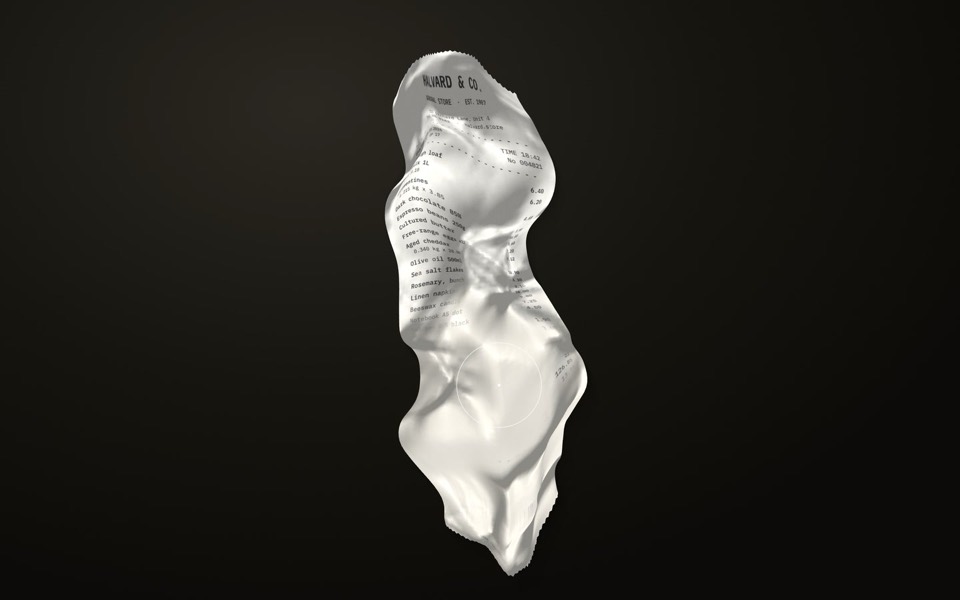
receipt study
A crumpled shop receipt on a dark desk: drag to smooth it out, scroll to read it, hold to warm the faded ink back.
copy its prompt on uberdesigner -
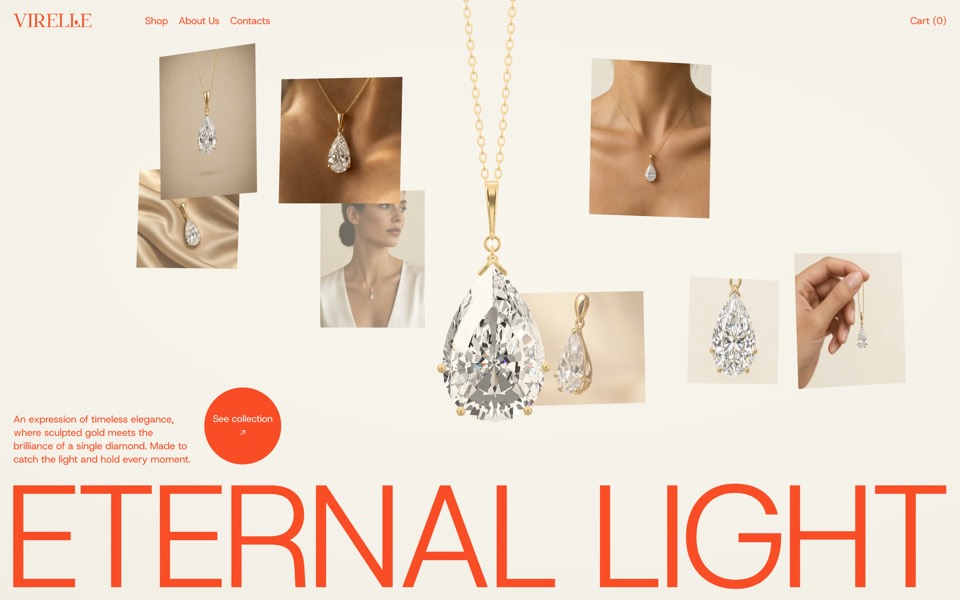
virelle
A fine-jewellery hero: a pear-cut diamond pendant drops in on a real chain and eight editorial photos orbit it.
see it on uberdesigner
Questions and answers
Do I need a physics library for cloth?
Not for a single sheet. A basic cloth simulation is a grid of points and distance constraints, short enough to write by hand, and asking for it by name (Verlet integration) gets a predictable result. A library makes sense when cloth has to collide with complex shapes.
Why does my metal look like grey plastic?
Because it has nothing to reflect. A metallic material shows its surroundings, so the scene needs an environment map. Ask for one, set the roughness low for polish or higher for a brushed look, and make sure something moves the highlights.
Keep reading
- A performance budget for 3D websites, written into the promptWhat to write into a prompt so a 3D or WebGL site runs: pixel ratio cap, draw calls, texture sizes, one render loop, and pausing when off screen.
- What makes a website immersiveDepth, continuity and response to input are what make a website immersive. What each means in a prompt, and the cases where you should not do it.
Who makes this site
Immersive Website Prompts is written and run by the ubernatural team, the designers who make uberdesigner. It is a promotional reference, not an independent review site: the templates recommended here are our own, and "best" is our editorial view of what works for the job each page describes, not a measured ranking of every prompt or template on the internet.
Cite this page: Immersive Website Prompts, “Cloth and material prompts”. Reviewed 11 November 2026. https://immersivewebsiteprompts.com/cloth-and-material-prompts/